
How to resolve tickets addressed to me
If you are handling tickets from someone else, you can see those under the "Submitted" tab in the Support Tickets module.
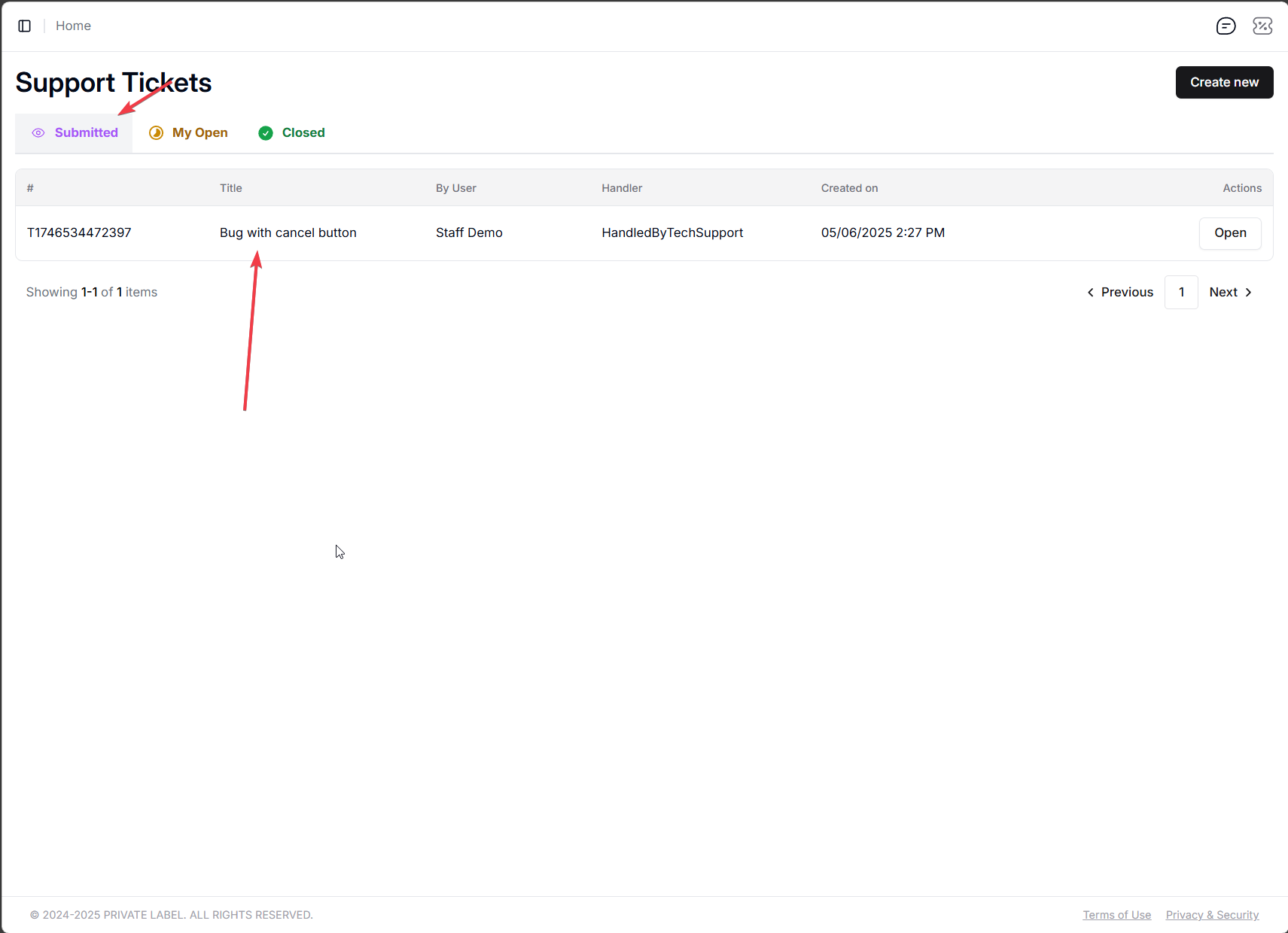
You should have the options to chat with the person who opened the ticket, and either resolve it or escalate it.
Escalating a ticket means forwarding it to upper management. If you are the highest-level role in your organization, then the ticket gets forwarded to the IT support, which will loop in the dev team to look at it, and if it is a bug or the like, fix it.

Please note that each ticket has a "Main" and "Internal" chat window:
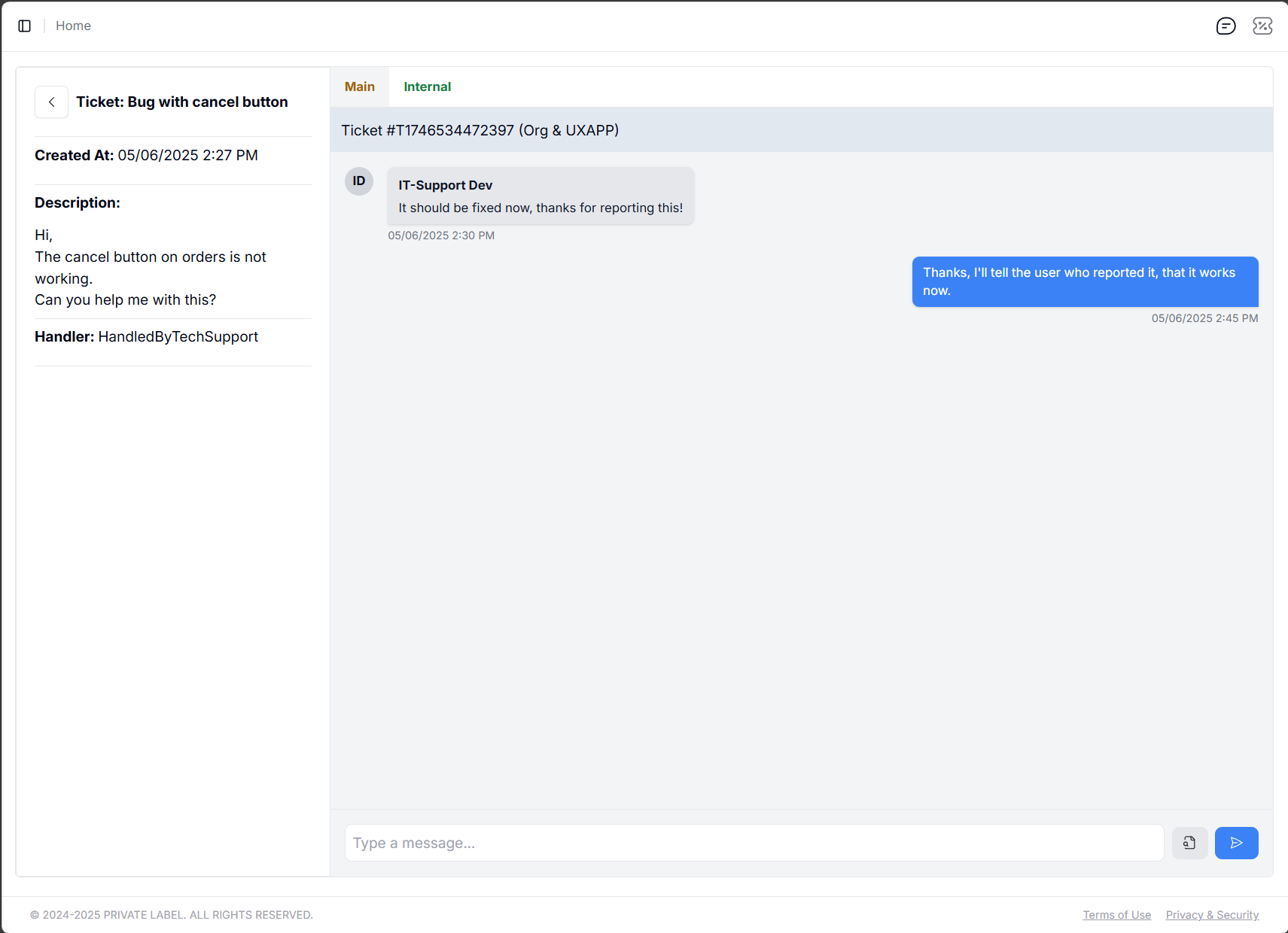
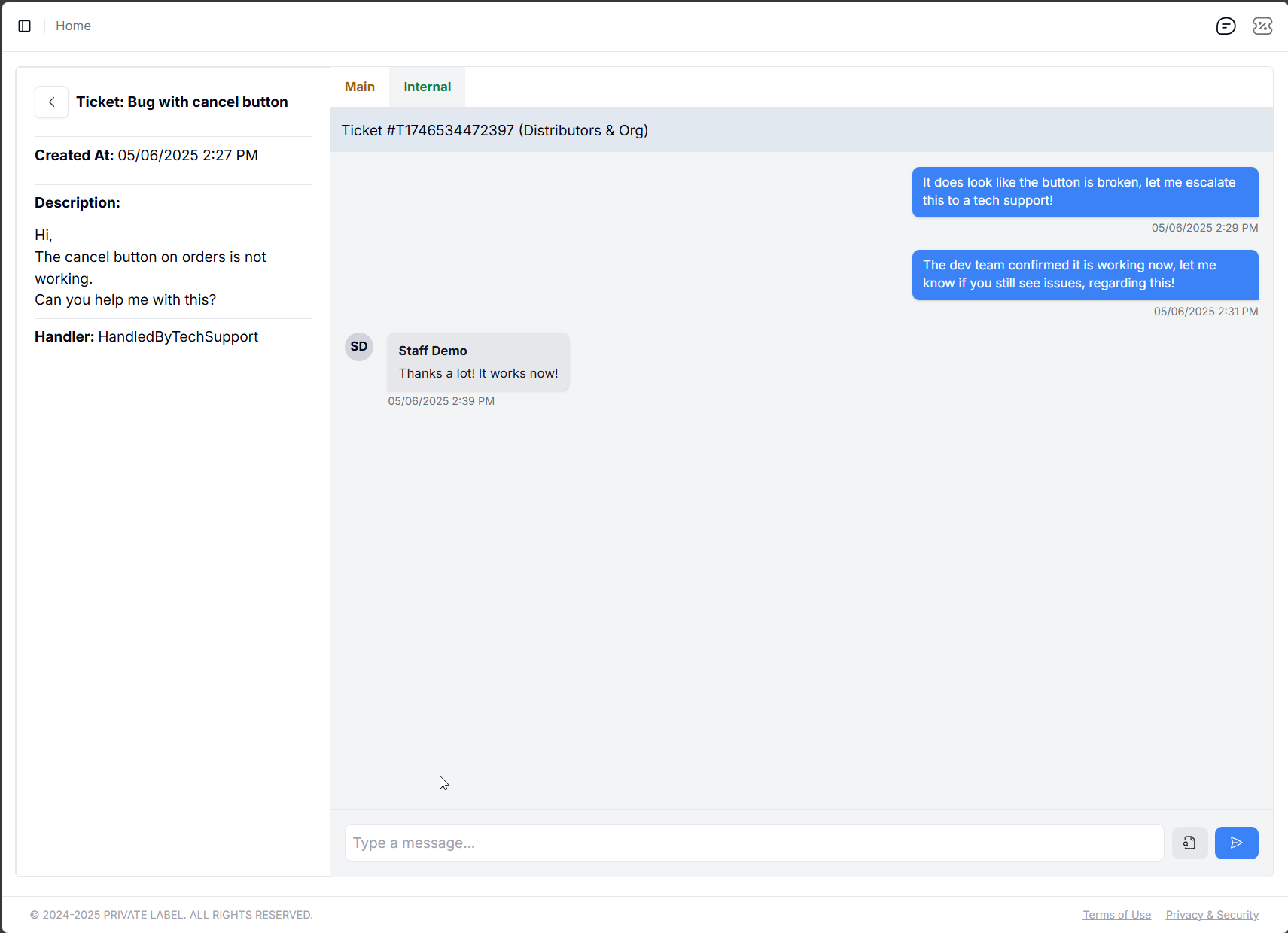
One is for communicating between the user who opened the ticket, and you, while the other tab shows up when you escalate the ticket. Messages between you and the ticket owner (person who opened the ticket) is visible in one tab, while the communication between you and the team you escalated it to (in the example above, that is the IT-Support team) is visible in the other one.