# How to resolve tickets addressed to me
If you are handling tickets from someone else, you can see those under the "Submitted" tab in the ***Support Tickets module***.
[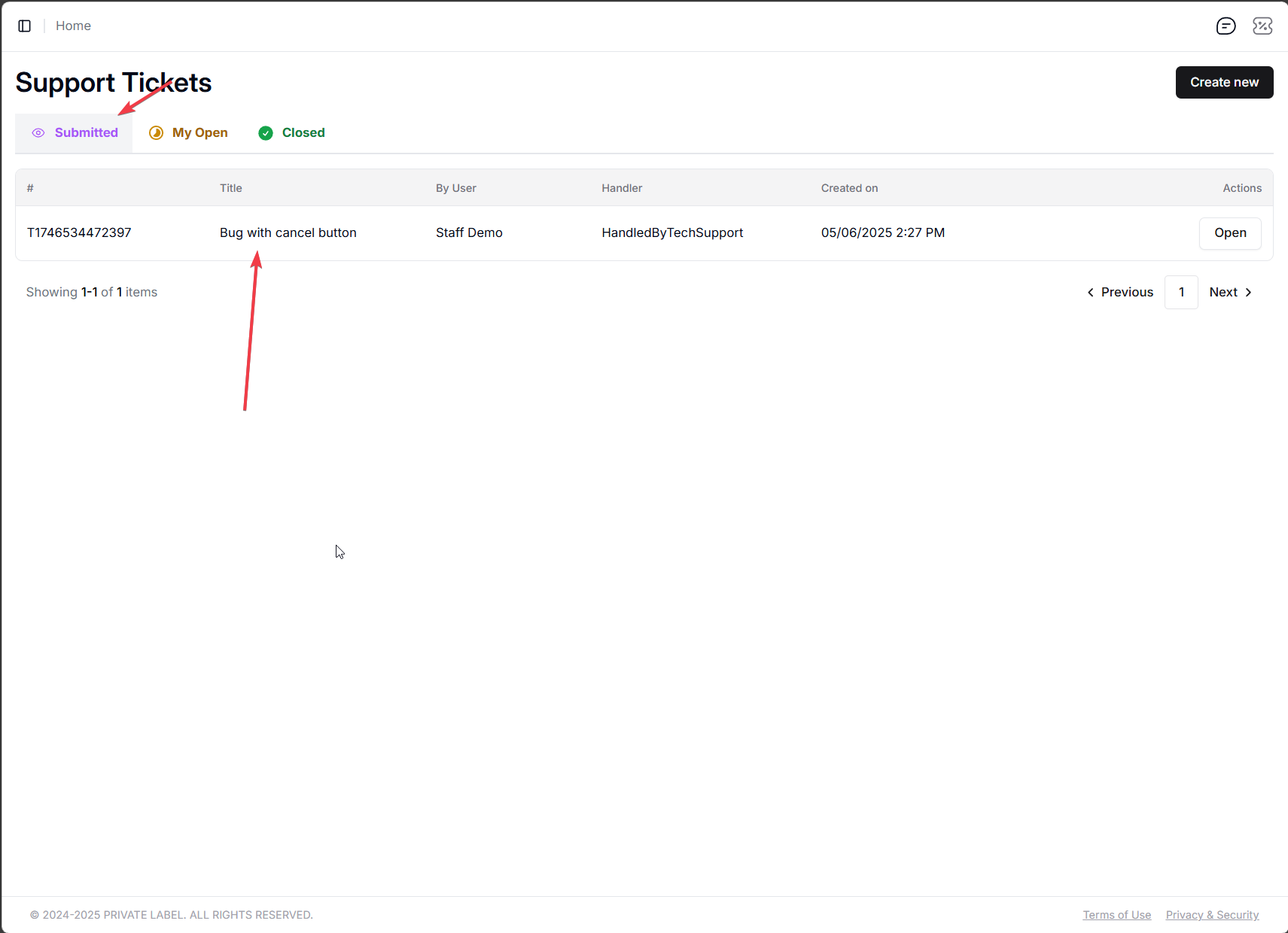](https://help.retailrelish.com/uploads/images/gallery/2025-05/5tGimage.png)
You should have the options to chat with the person who opened the ticket, and either ***resolve it* **or ***escalate it.***
***Escalating a ticket*** means forwarding it to upper management. If you are the highest-level role in your organization, then the ticket gets forwarded to the IT support, which will loop in the dev team to look at it, and if it is a bug or the like, fix it.
[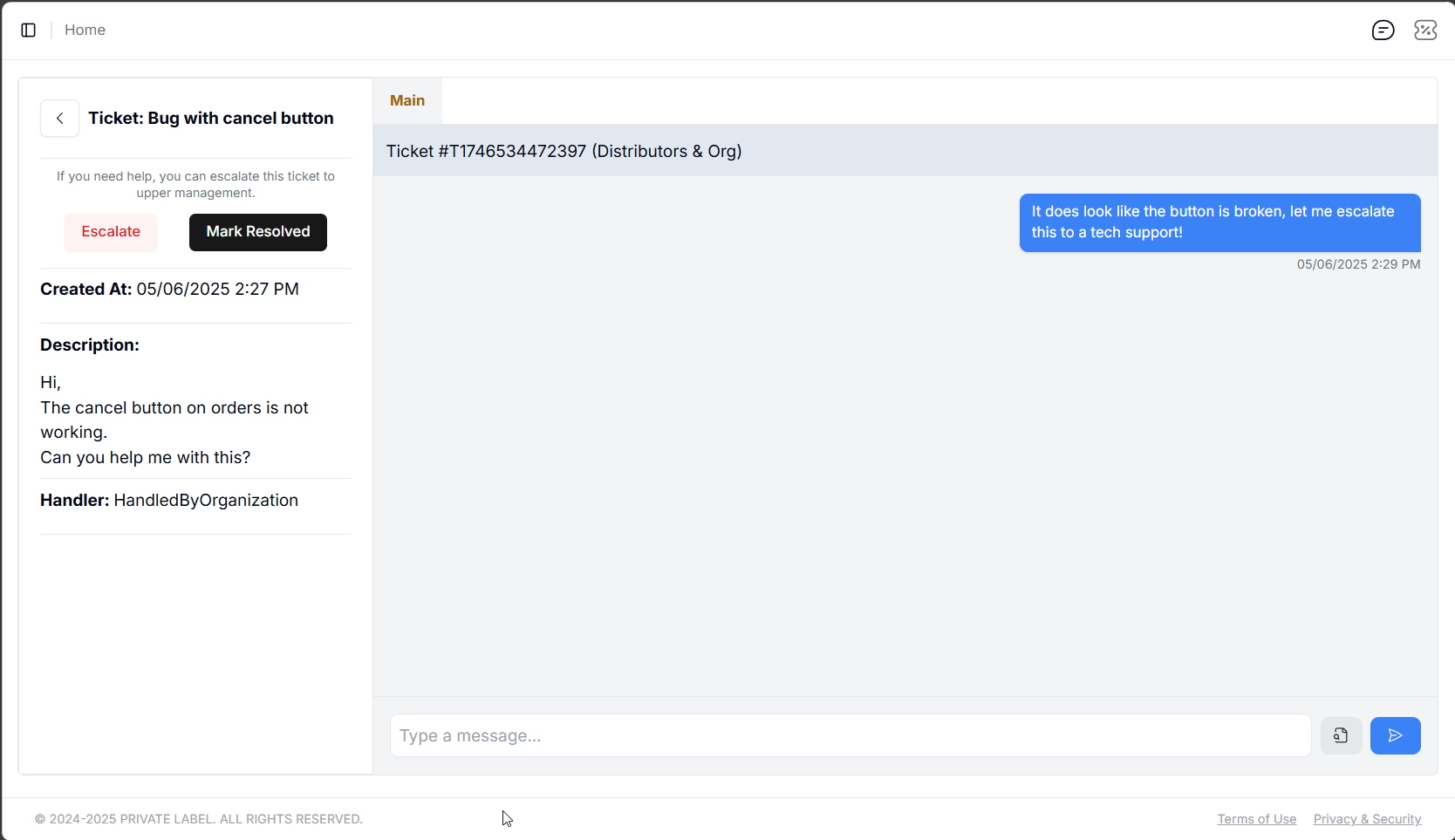](https://help.retailrelish.com/uploads/images/gallery/2025-05/msedge-e7l8sllnqy.png)
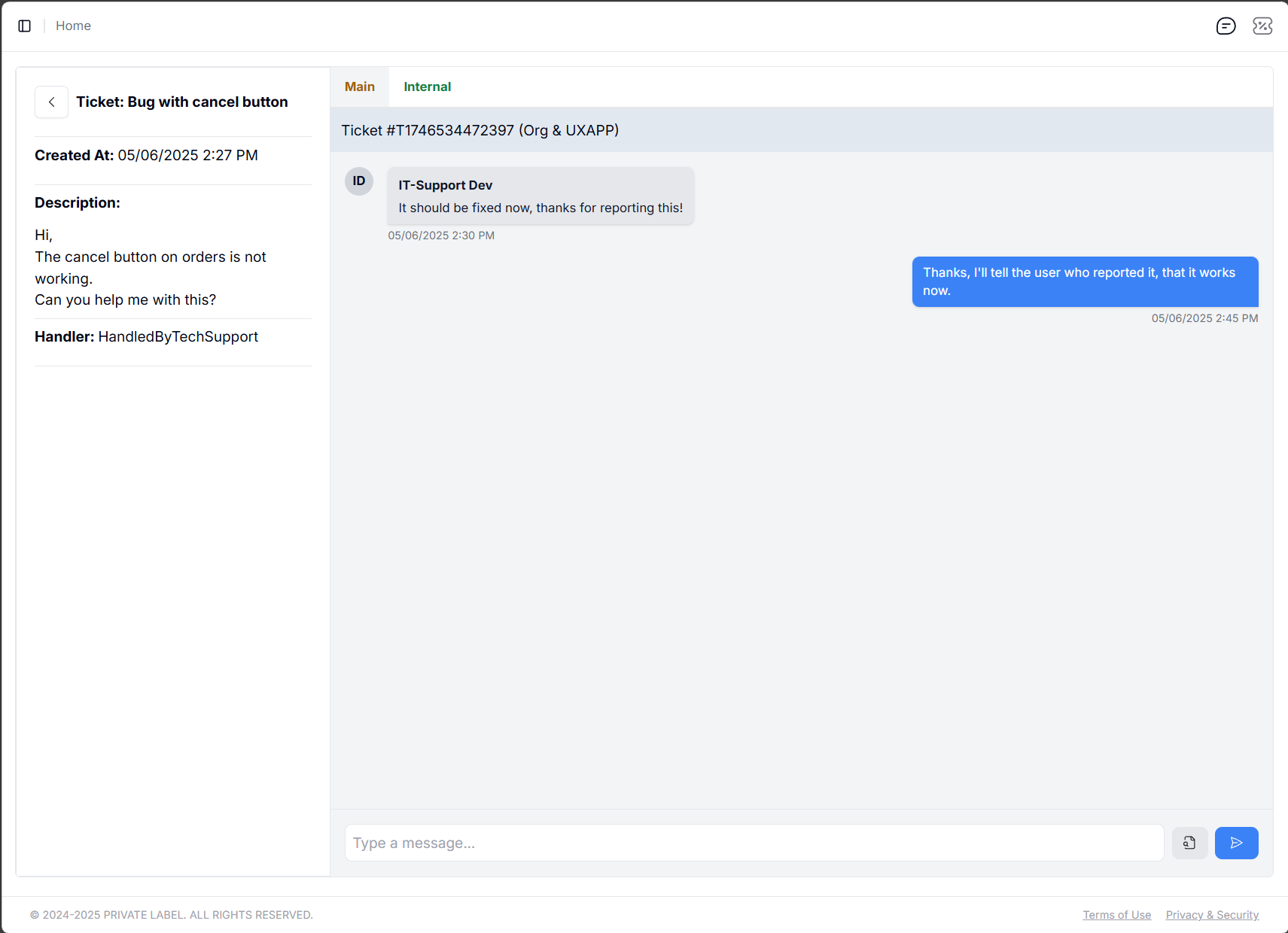
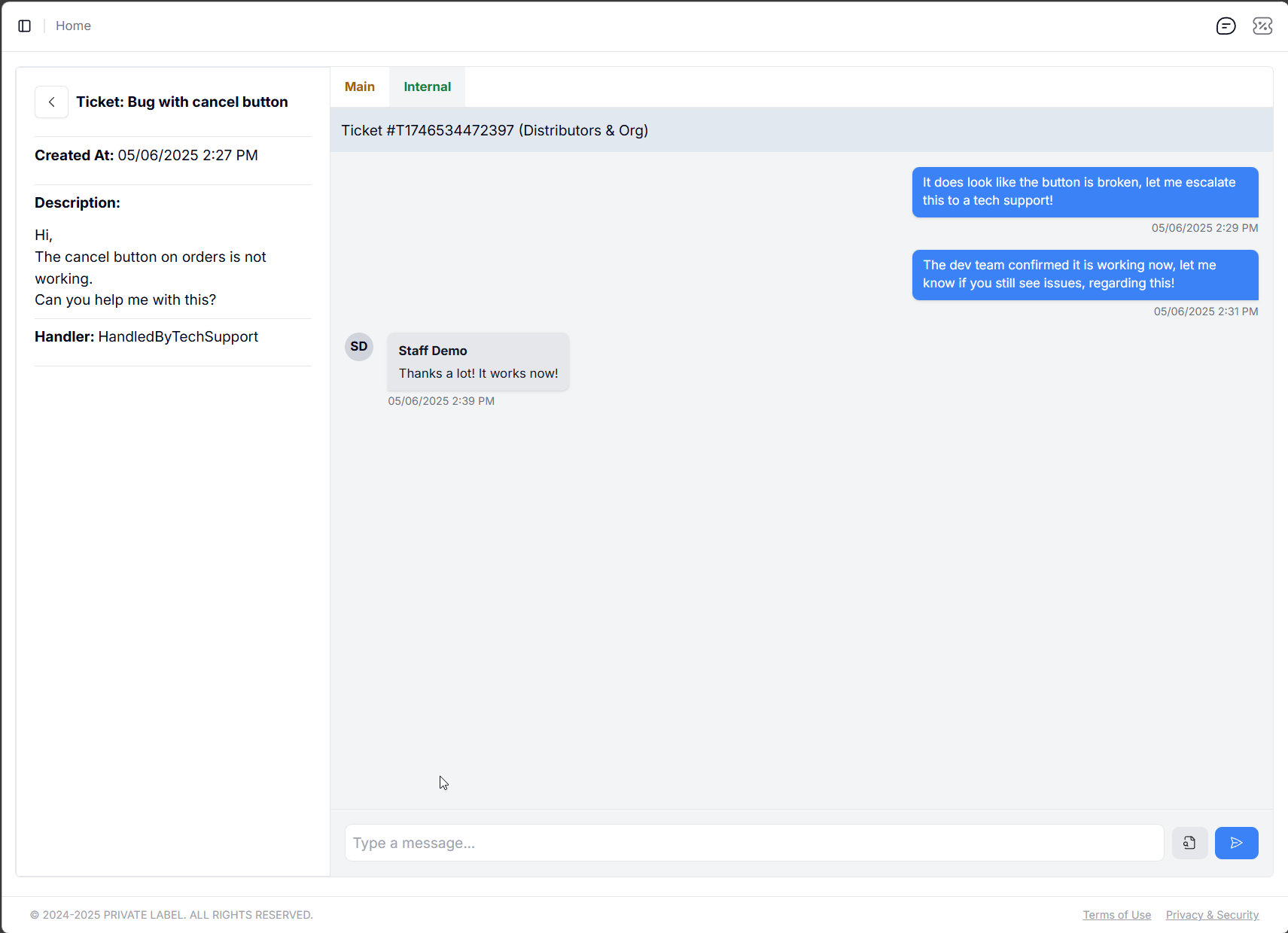
Please note that each ticket has a "Main" and "Internal" chat window:
[](https://help.retailrelish.com/uploads/images/gallery/2025-05/Y34image.png)
[](https://help.retailrelish.com/uploads/images/gallery/2025-05/XXtimage.png)
One is for communicating between the user who opened the ticket, and you, while the other tab shows up when you escalate the ticket. Messages between you and the **ticket owner **(person who opened the ticket) is visible in one tab, while the communication between you and the team you escalated it to (in the example above, that is the IT-Support team) is visible in the other one.